Home › Descript alternative
Comparison · Video & podcast transcription
A Descript alternative that transcribes on your Mac
Descript is a cloud editor: you upload the recording, it transcribes and edits on its servers, and you pay for it by subscription. Lesskeys is a much smaller tool with a different bargain — the file never leaves your Mac, transcription runs on your own GPU, and you buy it once. It is not an editor, and this page is clear about what that costs you.
Why people look for a Descript alternative
Usually one of three reasons. Everything goes to the cloud: Descript's editing and transcription run on its servers, so your recording is uploaded before you get a transcript back — and its own help documentation is explicit that it needs an internet connection and does not support offline editing. It is a subscription, billed per person monthly or annually, and every plan — including the free tier — is capped by a monthly media-minute allowance. And a lot of people only need the transcript — they already edit in Premiere, Final Cut, Resolve, Logic or Audition, and are paying for an entire editor to get text out of a file.
If that last one is you, a local transcription app is a much smaller tool for the job. It reads the video file straight off your disk, transcribes it on your own GPU, and hands you a speaker-labeled transcript — with the media never leaving the machine.
How Lesskeys is different
| Lesskeys | Descript | |
|---|---|---|
| Where media is processed | Your Mac | Uploaded to their cloud |
| Works fully offline | Yes | No |
| Pricing model | One-time purchase | Subscription |
| Monthly usage allowance | None — runs on your hardware | Metered in media minutes |
| Automatic speaker labels | Yes, on-device | Yes |
| Records calls, screen & system audio | Yes | Yes |
| System-wide dictation into any app | Yes | No |
| Video & audio editing timeline | No | Yes |
| Filler-word removal, synthetic voice | No | Yes |
| Team workspace & collaboration | No | Yes |
| Platforms | Mac only (macOS 13+) | Mac, Windows, web |
What Lesskeys does not do
Worth being blunt about, because half of Descript's value is in features Lesskeys has no equivalent for:
- No editing timeline. You cannot cut the video by deleting words from the transcript. Lesskeys gives you the transcript; the cutting happens in your editor.
- No filler-word removal and no one-click "remove every um" pass.
- No synthetic voice — nothing that regenerates a word in your own voice, and no text-to-speech.
- No multitrack video composition, no scenes, layers, titles or transitions.
- No team workspace — no shared projects, no comments, no review links. It is a single-user Mac app by design, because the files never leave the Mac.
- No AI summaries or show notes. You get a verbatim, speaker-attributed transcript and decide what to do with it.
If any of those are load-bearing in your workflow, keep Descript. This page is not trying to talk you out of an editor.
Where the two overlap: getting an accurate transcript
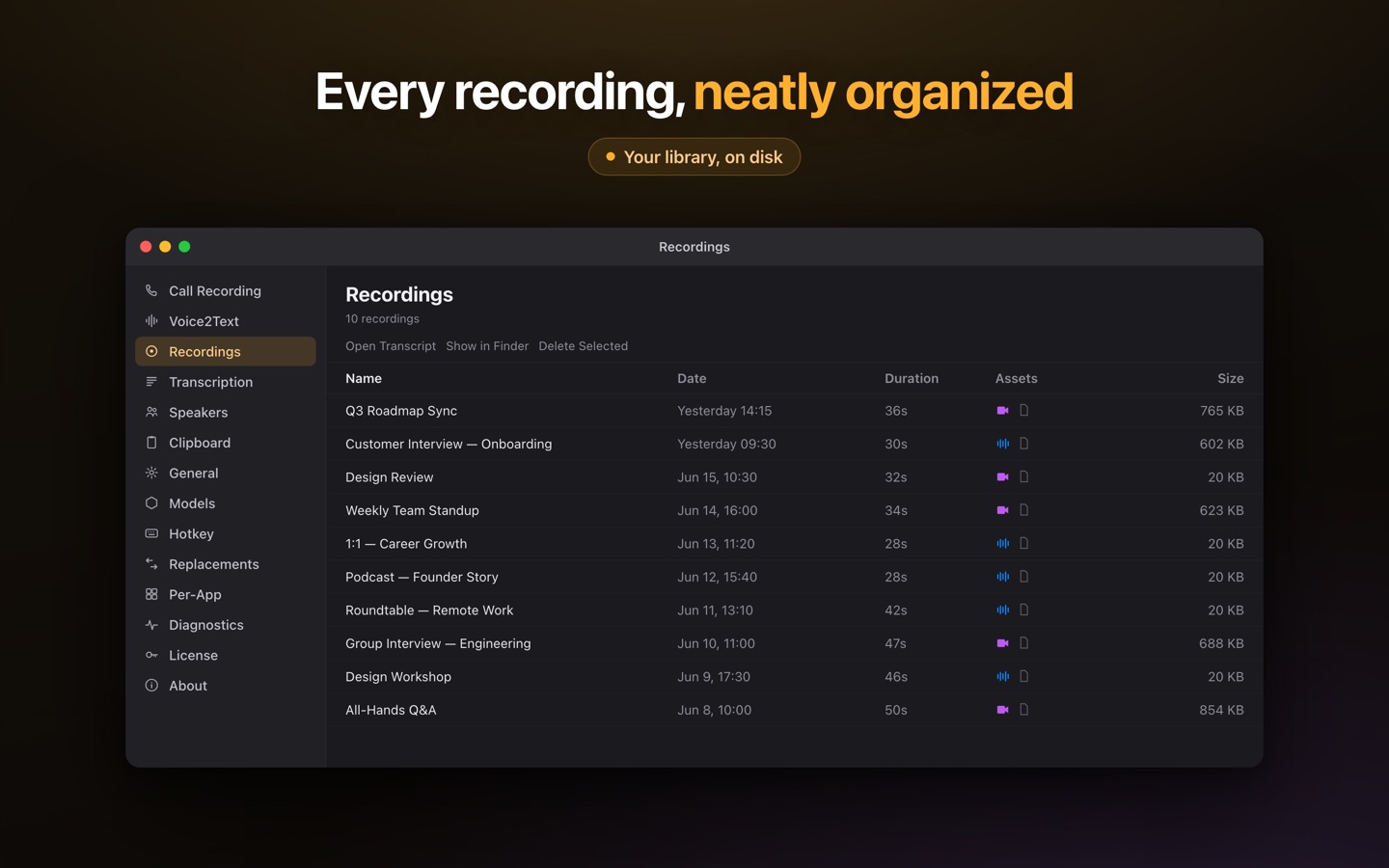
This is the part Lesskeys is built for, and it does it without an upload. Drop in an audio or video file and the speech model runs on your Mac's GPU — no queue, no per-minute meter, no account. Speaker diarization runs locally too, so a two-host podcast or a four-person interview comes back labeled, and once you name a recurring voice the label sticks for future recordings. A transcript-synced player lets you click a line to jump to that moment in the media, and the transcript exports as text for whatever comes next.
It also records the source material itself: system audio, microphone, and optionally the screen or a single window — useful for remote interviews you would otherwise have run through a cloud recorder. And because it is a menu-bar app, the same install gives you system-wide dictation: press ⌥Space anywhere, speak, and the transcribed text lands on your clipboard ready to paste with ⌘V. 99 languages, auto-detected, all of it offline.
A workflow that keeps the media on your machine
- Record or import — capture the call directly, or drop in an existing MP4, MOV, WAV or M4A from disk.
- Transcribe locally — the model runs on Apple Silicon's GPU; nothing is uploaded and nothing is metered.
- Name the speakers once — voiceprints persist, so the same people are labeled automatically next time.
- Take the transcript to your editor — export the text, then cut in the tool you already own.
Where Descript is the better tool
Descript's whole premise is that editing media by editing text is faster than editing on a timeline, and for podcast and video production that premise holds up. If you are cutting a weekly show, stitching multitrack recordings, patching a misspoken word, stripping filler words in bulk, or handing a project to an editor and a producer to work on together, that is a genuinely good product and Lesskeys replaces none of it. It also runs on Windows and in a browser, which a Mac-only app obviously does not.
The trade you are being offered here is narrow and specific: give up the editor, and in exchange the recording never leaves your Mac, there is no monthly bill and no media-minute cap, and you get dictation everywhere in macOS as part of the same app. For a lot of interview, research and note-taking work — and for anything confidential enough that an upload is the problem — that is the better trade. For producing a show, it is not.
Descript is a trademark of its respective owner. Lesskeys is an independent product and is not affiliated with, endorsed by, or sponsored by them. Feature sets, plans and pricing change — verify current details on each vendor's site before deciding. Descript details above reflect its public help documentation and pricing page as of 21 July 2026.
Free to download. Pay once to unlock. No subscription. · Pro $49.99 one-time · macOS 13+
FAQ
Is there a Descript alternative that works offline?
Yes. Lesskeys transcribes audio and video entirely on your Mac, so it needs no internet connection and no media is uploaded. Descript's help documentation states that it requires an internet connection and does not support offline editing.
Can Lesskeys edit video the way Descript does?
No. Lesskeys is not an editor. There is no timeline, no editing video by deleting words, no filler-word removal and no synthetic voice. It produces a speaker-labeled transcript and leaves the editing to the tool you already use.
Does it work with video files, or only audio?
Both. Drop in common video formats such as MP4 or MOV and the audio is extracted and transcribed locally on your Mac, with the video kept alongside the transcript in a synced player.
Is Lesskeys a subscription?
No. Lesskeys is free to download from the Mac App Store, with a metered free tier and a single $49.99 in-app purchase that unlocks it permanently. There is no subscription. Descript is sold as a per-person subscription billed monthly or annually, with a limited free tier.
Can it tell speakers apart in an interview?
Yes. Speaker diarization runs on your device and labels who said what. Assign a real name once and it persists across later recordings of the same person.