Home › For consultants
For consultants & advisors
Client calls transcribed — no cloud vendor involved
Your engagement letter promises the client their information stays inside the team. A cloud notetaker quietly breaks that promise by adding a vendor to the room. Lesskeys captures and transcribes on your own Mac, so the record you keep is as confidential as the notebook it replaces.
The NDA problem with cloud notetakers
Most engagement terms restrict sharing client information with third parties — and a transcription vendor processing the call audio is exactly that. On-device transcription keeps the material on your machine: nothing is disclosed to anyone, because nothing goes anywhere. (Whether recording itself is appropriate for a given client is your call and theirs — ask; many clients say yes to a local recording precisely because no bot is involved.)
No bot in the client's meeting
An uninvited “Notetaker has joined” line in a client call reads badly — it announces that the conversation is being streamed somewhere. Lesskeys never appears in the participant list; it records locally on your Mac, so the optics match the reality: the conversation stays in the room.
From conversation to deliverable
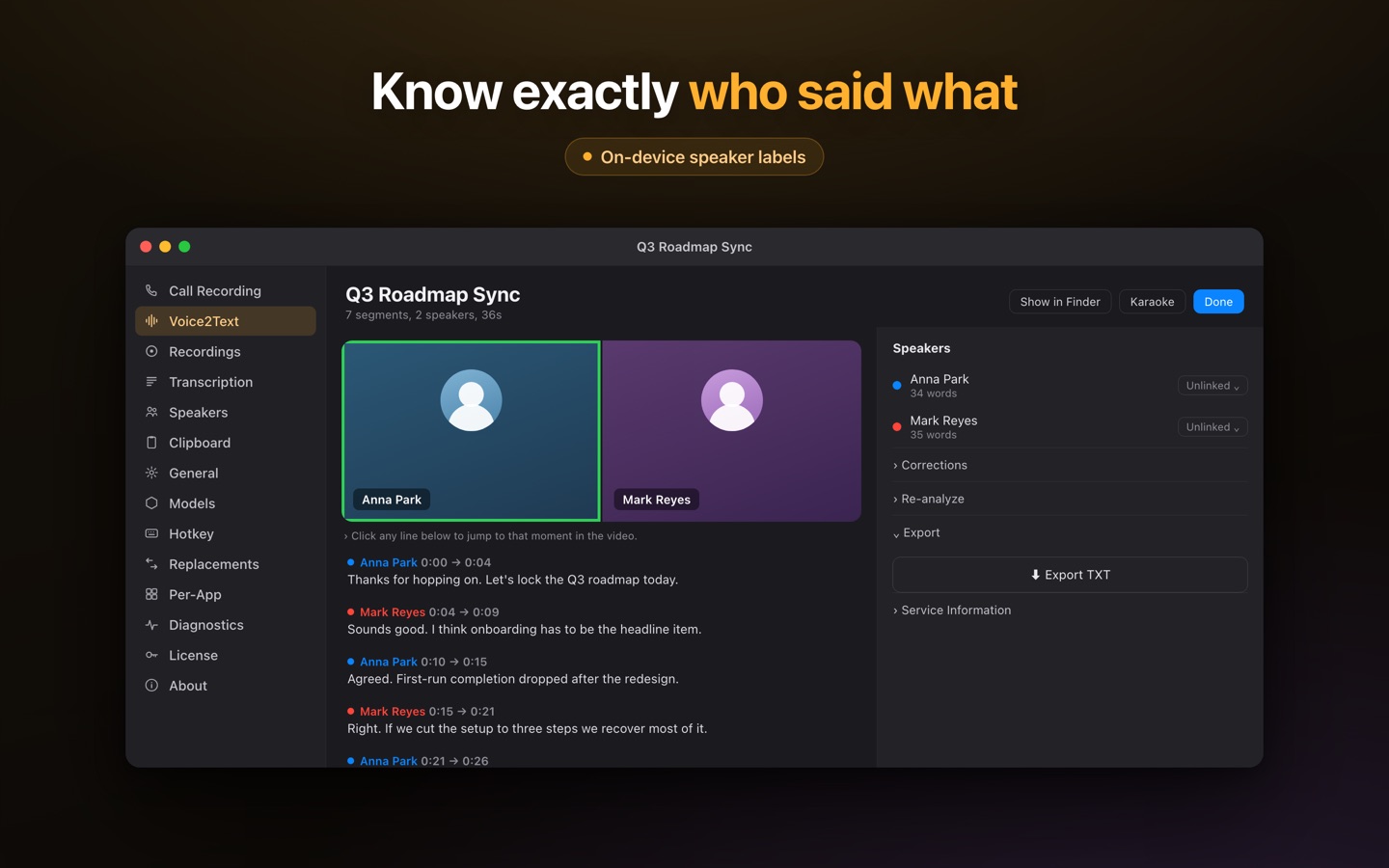
Discovery interviews, workshops, steering-committee calls — each comes back as searchable text with automatic speaker labels, so the stakeholder map writes itself: who raised the risk, who owns the action, who disagreed. Search across the engagement's transcripts instead of re-listening; export text when something needs to go into the report. Board and leadership sessions get the same treatment — accurate minutes without a recording ever leaving your laptop.
Dictate the write-up too
The same app does system-wide dictation: hotkey, talk, ⌘V — trip notes into the doc on the train, a status email drafted at speaking speed. 99 languages with auto-detect for multilingual engagements, and it all works offline, including on the plane.
A working setup for an engagement
- Agree it with the client — a local, no-bot recording is an easy yes for most; get it in writing.
- Capture calls and workshops — recorded and transcribed on your Mac, speaker-labeled.
- Mine the transcripts — search across sessions for decisions, owners, and open risks.
- Dictate the outputs — status notes and summaries by voice, pasted wherever they need to land.
Pay once. No subscription. · macOS 13+
FAQ
Does a bot join my client calls?
No. Lesskeys records locally on your Mac and never appears as a participant. Agree recording with your client first — most accept a local recording precisely because no third-party bot is involved.
Is a cloud transcription tool a breach of my NDA?
Many engagement terms treat sending client audio to a vendor as disclosure to a third party — check your letter. Lesskeys avoids the question by processing everything on your own machine.
Can it label who said what in a workshop?
Yes — automatic speaker labels separate participants in multi-person recordings, so decisions and owners are attributable when you write the report.
Is it a subscription?
No. One purchase on the Mac App Store — no per-seat, per-month billing across the team's engagements.