Home › Happy Scribe alternative
Comparison · Transcription
A Happy Scribe alternative that never uploads your audio
Happy Scribe is a cloud transcription and subtitling platform: you upload a file, its servers transcribe it, and your plan meters the minutes. Lesskeys makes a different bargain — it runs the speech model on your own Mac's GPU, so nothing is uploaded, nothing is counted, and there is no account. It does less than the platform does. What it does, it does on your machine.
Why people look for a Happy Scribe alternative
Usually the meter, or the upload. Happy Scribe is a cloud platform: your audio goes to its servers to be transcribed, and what you get back is measured out in minutes. The free plan is a short trial; paid tiers come with a monthly allowance, and going past it costs per additional minute. That model works well when transcription is an occasional project cost. It works badly when you want to record every call, because every call is now a line item — and it does not work at all when the recording is confidential enough that uploading it is the problem.
Lesskeys is not a cheaper version of that service. It is a different shape of thing: a Mac app that does the transcription on your own machine. There is no account, no monthly allowance, and no upload — not as a privacy mode you switch on, but because there is no server in the product to send anything to.
How Lesskeys is different
| Lesskeys | Happy Scribe | |
|---|---|---|
| Where audio is processed | Your Mac, always | Their cloud |
| Account required | No | Yes |
| Pricing model | One-time purchase | Subscription tiers, plus per-minute credits |
| Monthly minute allowance | None — runs on your hardware | Metered per plan |
| Automatic speaker labels | Yes, on-device | Yes |
| System-wide dictation into any app | Yes | No |
| Human proofreading to ~99% accuracy | No | Yes, paid per minute |
| Translated subtitles | No | Yes |
| Languages transcribed | 99, auto-detected | 150+ |
| Web, mobile & team workspace | No — single-user Mac app | Yes |
| Platforms | Mac only (macOS 13+, Apple Silicon) | Web, iOS, Android (desktop app announced) |
What Lesskeys does not do
Worth being blunt about, because a good deal of what people pay Happy Scribe for has no counterpart here at all:
- No human transcription tier. Happy Scribe will put a person on your file and quote you accuracy figures for it. Lesskeys gives you what the on-device model produces, and you edit it yourself.
- No translation and no translated subtitles. Lesskeys transcribes speech in the language it was spoken. That is the whole job.
- Fewer languages. 99 with auto-detect, against a platform advertising 150+. If your language is in their list and not in ours, that decides it.
- No web app, no mobile apps, no shared workspace. The recordings live on the Mac that made them, which is the point, and also a real limitation.
- No collaborative editor — no comments, no reviewer seats, no handing a file to a colleague inside the tool.
If your work is subtitling deliverables for clients in several languages, Happy Scribe is built for that and Lesskeys replaces none of it. This page is not trying to talk you out of it.
Where the two overlap: getting an accurate transcript of a recording
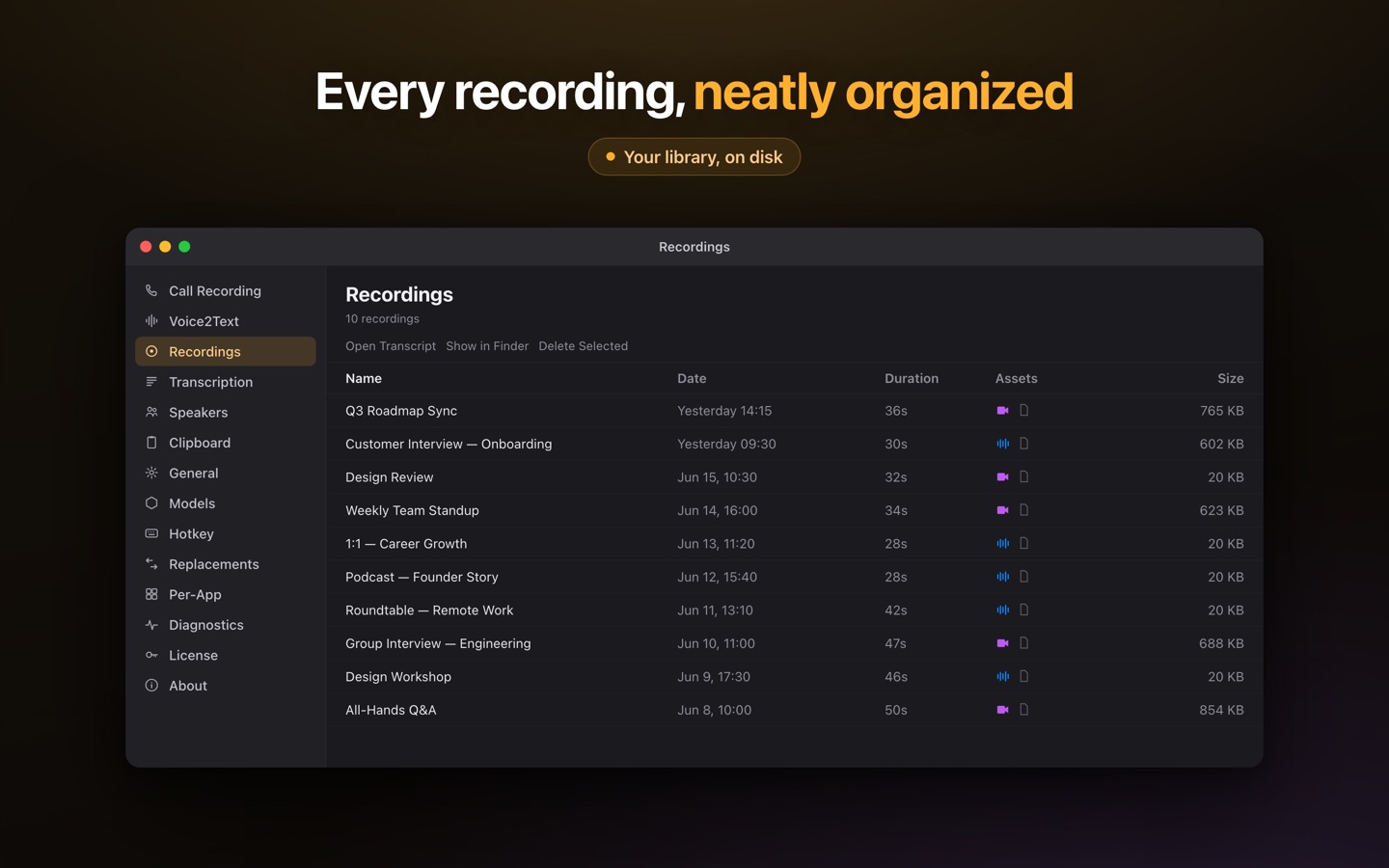
This is the part Lesskeys is built for, and it does it without an upload or a meter. Press record and it captures your microphone plus the Mac's system audio — any call the Mac can play, with nothing joining the meeting and nothing appearing in the participant list. The speech model runs on Apple Silicon's GPU, and speaker diarization runs locally too, so the transcript comes back labeled by who spoke. Name a recurring voice once and the label sticks in later recordings.
Files you already have work the same way: drop in an MP4, MOV, WAV or M4A and it is processed on the same local pipeline, with a transcript-synced player so clicking a line jumps the audio to that moment. Transcripts export as plain text or as SRT and WebVTT subtitle files. Everything lands in a library you can search by phrase, speaker or date.
And because it is a menu-bar app rather than a website, the same install gives you something a browser platform structurally cannot: system-wide dictation. Press ⌥Space in any application, speak, and the transcribed text is on your clipboard ready to paste with ⌘V.
A workflow with no upload and no minute count
- Press record — or drop in a file you already have.
- Transcribe locally — the model runs on your Mac's GPU. Nothing is uploaded and no minutes are counted, so a three-hour recording costs exactly what a three-minute one does.
- Name the speakers once — voiceprints persist, so the same people are labeled automatically next time.
- Export or search — text, SRT or WebVTT out; or leave it in the library and find it later by phrase, speaker or date.
Where Happy Scribe is the better tool
Happy Scribe is a production platform for language work, and for that job the service is the product. It covers more languages than any on-device model ships with, it will translate subtitles into dozens more, and it will sell you a human pass when a transcript has to be right rather than merely good. It runs in a browser, on a phone, and on any operating system, and a team can work in the same file. None of that is something a single-user Mac app can do, and it would be dishonest to pretend otherwise.
The trade being offered here is narrow and specific: give up the human tier, the translation and the shared workspace, and in exchange the audio never leaves your Mac, there is no monthly bill and no minute allowance, there is no account to create — and you get system-wide dictation everywhere in macOS from the same single $49.99 unlock. For confidential calls, interviews and a personal archive you want to keep and search, that is the better trade. For multilingual subtitle delivery, it is not.
Happy Scribe is a trademark of its respective owner. Lesskeys is an independent product and is not affiliated with, endorsed by, or sponsored by them. Feature sets, plans and pricing change — verify current details on each vendor's site before deciding. Happy Scribe details above reflect its public pricing page as of 10 August 2026.
Free to download. Pay once to unlock. No subscription. · Pro $49.99 one-time · macOS 13+
FAQ
Is there a Happy Scribe alternative that works offline?
Yes. Lesskeys transcribes on your own Mac using the Apple Silicon GPU, so it works with the network off — you can disconnect entirely and it keeps running. Happy Scribe is a cloud platform, so audio is uploaded to its servers for processing.
Does Lesskeys have monthly transcription minute limits?
No. Transcription runs on your own hardware, so there is no per-minute cost to pass on and no allowance to run out of. Happy Scribe's plans include a monthly minute allowance with additional credits charged per minute beyond it.
Can Lesskeys produce subtitle files?
Yes — transcripts export as SRT and WebVTT as well as plain text, with speaker labels and timestamps. It does not translate them, though: Lesskeys transcribes speech in the language it was spoken, so multilingual subtitle delivery is a job for a platform like Happy Scribe.
Does Lesskeys offer human proofreading like Happy Scribe does?
No. There is no human tier — you get the on-device model's output and edit it yourself. If a transcript has to be certified accurate, Happy Scribe's paid human proofreading is a real service that Lesskeys has no equivalent for.
How many languages does Lesskeys support?
99, detected automatically. Happy Scribe advertises more than 150 for AI transcription, so if your language is on its list and not on ours, that settles the choice.
What does Lesskeys cost?
It is free to download and try. One in-app purchase of $49.99 unlocks it permanently — no subscription and no per-minute charges. Verify the current price on the Mac App Store listing before buying.