Otter alternative
An Otter alternative that keeps meetings on your Mac
Record and transcribe meetings locally, with automatic speaker labels — no bot in the call, no cloud, no subscription. Pay once.
macOS 13+ · Apple Silicon · No account required
Why people look for an Otter alternative
Otter is a capable cloud service for meeting notes and collaboration. The reasons people look for an alternative are almost always about privacy and cost.
Everything lives in the cloud. With Otter, your meeting audio and transcripts are uploaded to and stored on its servers. For confidential calls — client work, HR, legal, health, unreleased plans — that means a copy of the conversation exists somewhere you don't control.
A bot joins your call. Otter's assistant typically joins the meeting as a visible participant to capture it. Everyone can see it, and some organizations don't allow a third-party recorder in the room at all. Lesskeys records the system audio on your own Mac instead — no extra participant appears.
It's a subscription with limits. Otter is billed monthly and free/lower tiers cap how many minutes you can transcribe. (Check Otter's site for current plans and minute limits — they change.) Lesskeys is a one-time purchase with no minute caps.
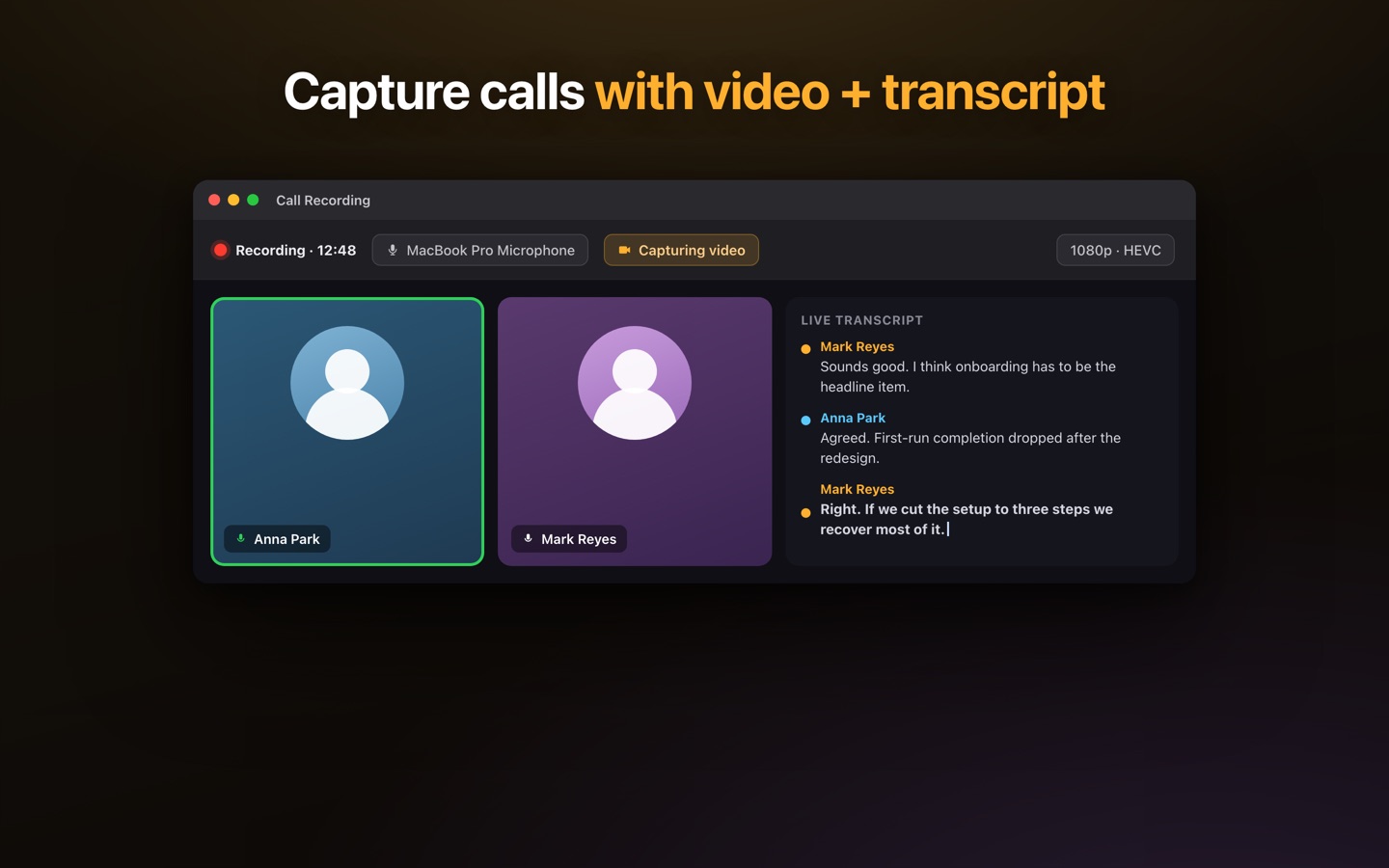
Lesskeys is a native Mac app that records and transcribes any meeting — Zoom, Teams, Google Meet, Slack — entirely on your machine, labels who spoke, and never uploads a thing.
Lesskeys vs Otter
| Lesskeys | Otter | |
|---|---|---|
| Where processing happens | On your Mac. Audio and transcripts never leave the device. | In the cloud — uploaded to and stored on Otter's servers. |
| Bot joins the meeting | No — records system audio locally; no extra participant. | Typically yes — an assistant joins the call to capture it. |
| Pricing model | One-time purchase. No minute caps. | Subscription; free/lower tiers cap transcription minutes (verify). |
| Speaker labels | Yes — automatic, on-device. | Yes — cloud-based. |
| Works with Zoom / Teams / Meet | Yes — captures system audio from any app. | Yes — via integrations / the meeting bot. |
| Team collaboration & sharing | No — local files you own and export. | Yes — shared workspaces, live notes, integrations. |
| Platform | Native macOS app. | Web, iOS, Android + integrations. |
Where Otter may suit you better
Otter is a collaboration platform, and that's a real strength Lesskeys doesn't try to match. If your team needs shared, searchable notes across the web and phones, live collaborative highlights, and deep integrations with Zoom, Slack, or a CRM — and you're comfortable with meeting data living in the cloud — Otter is built for exactly that. Lesskeys is for the individual who wants a meeting transcribed privately, on their own Mac, without a bot or a subscription.
Pay once. No subscription. · macOS 13+
Comparison reflects publicly available information about Otter.ai as of 2026; plans, limits, and features change, so confirm current details on the vendor's own site. Otter is a trademark of its respective owner; Lesskeys is an independent product and is not affiliated with or endorsed by Otter.ai.
FAQ
Can I transcribe meetings without a bot joining the call?
Yes. Lesskeys records the system audio on your own Mac, so nothing joins the meeting as a participant. Zoom, Teams, Meet, and Slack calls are all captured locally.
Is my meeting audio uploaded anywhere?
No. Recording, transcription, and speaker labeling all happen on your Mac. The audio and transcript stay on your device.
Is there a one-time (no subscription) Otter alternative?
Lesskeys is a one-time purchase with no monthly fee and no minute caps.
Does it label who said what?
Yes. Automatic on-device speaker diarization labels each speaker, and you can assign real names.