Home › Press kit
Press kit
Lesskeys press kit
Facts, boilerplate and assets for anyone writing about Lesskeys — a Mac app that turns speech into text without sending the audio anywhere. Take what you need; no permission required, no form to fill in.
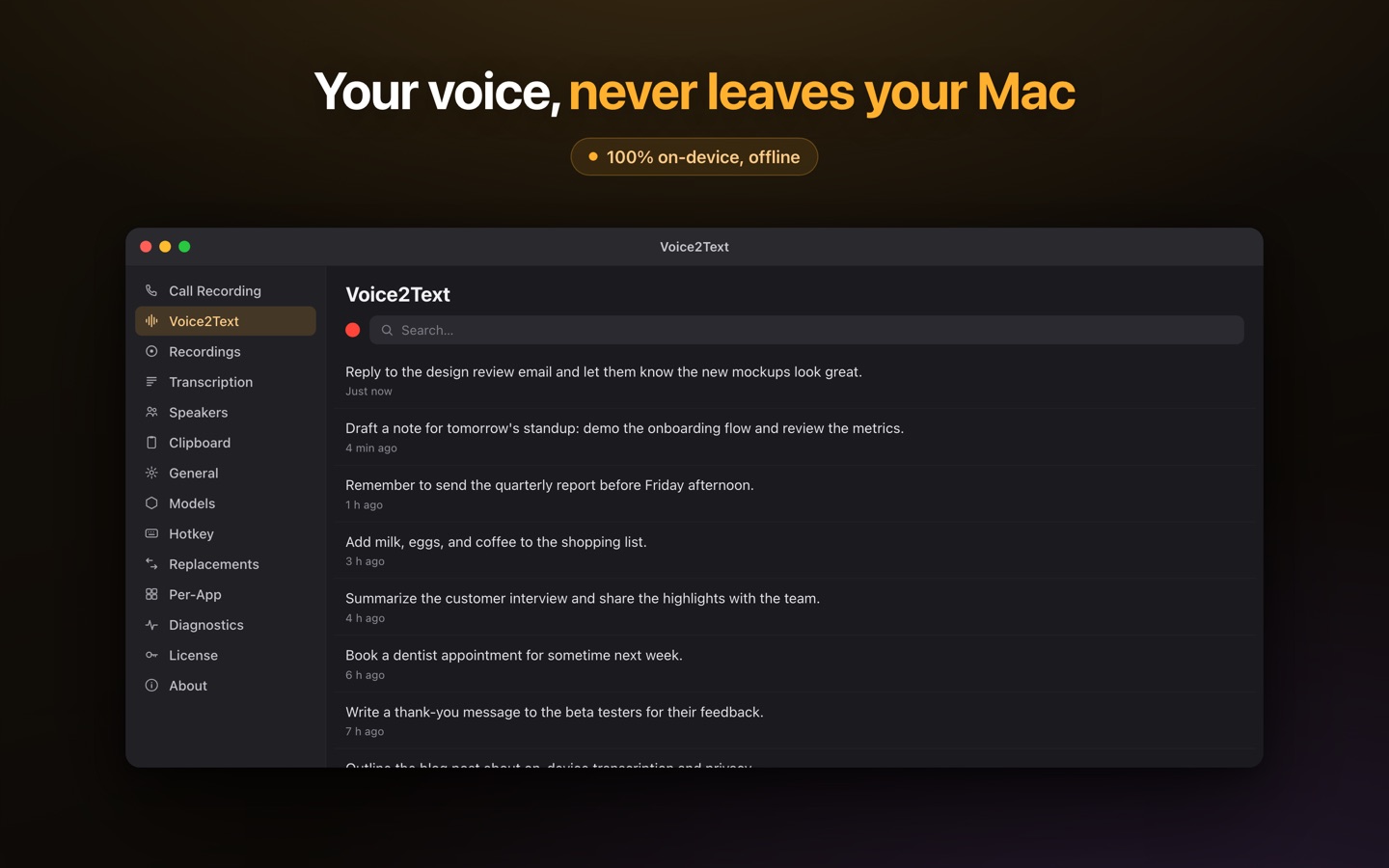
Everything on this page may be quoted, reproduced or republished without asking. The screenshots and icon are cleared for editorial use. Facts below were read from the live App Store listing on 2026-08-23.
Fact sheet
| Name | Lesskeys |
| What it is | A native macOS app for system-wide dictation and on-device transcription of calls, meetings and media files |
| Developer | Dmytro Tymoshchuk — solo developer |
| Platform | macOS 13.0 or later · Apple silicon (M1 or newer) required |
| Price | Free to download · Pro unlock $49.99, paid once · no subscription |
| What the free tier gives you | 5 minutes of dictation a day, plus 5 audio and 5 video transcriptions in total. Recording is never limited, and re-transcribing something you already transcribed is always free |
| Where to get it | Mac App Store only — App ID 6783061182 |
| Current version | 3.1.3 (updated 2026-08-23) |
| First released | 2026-06-29 |
| Category | Productivity / Utilities |
| Download size | 77.7 MB — speech models are downloaded separately on first run (466 MB to 1.6 GB, your choice) |
| Languages | 99, auto-detected |
| Network use | None in the transcription path. After the one-time model download the app works in Airplane Mode |
| Accounts | No account, no sign-in, no telemetry |
| Press contact | [email protected] |
Boilerplate — paste any of these verbatim
Three lengths, already fact-checked. If you need a different one, ask and you will get it the same day.
One line
Lesskeys is a Mac app for dictation and transcription that runs entirely on your own machine. Free to try, $49.99 once to unlock, no subscription.
Fifty words
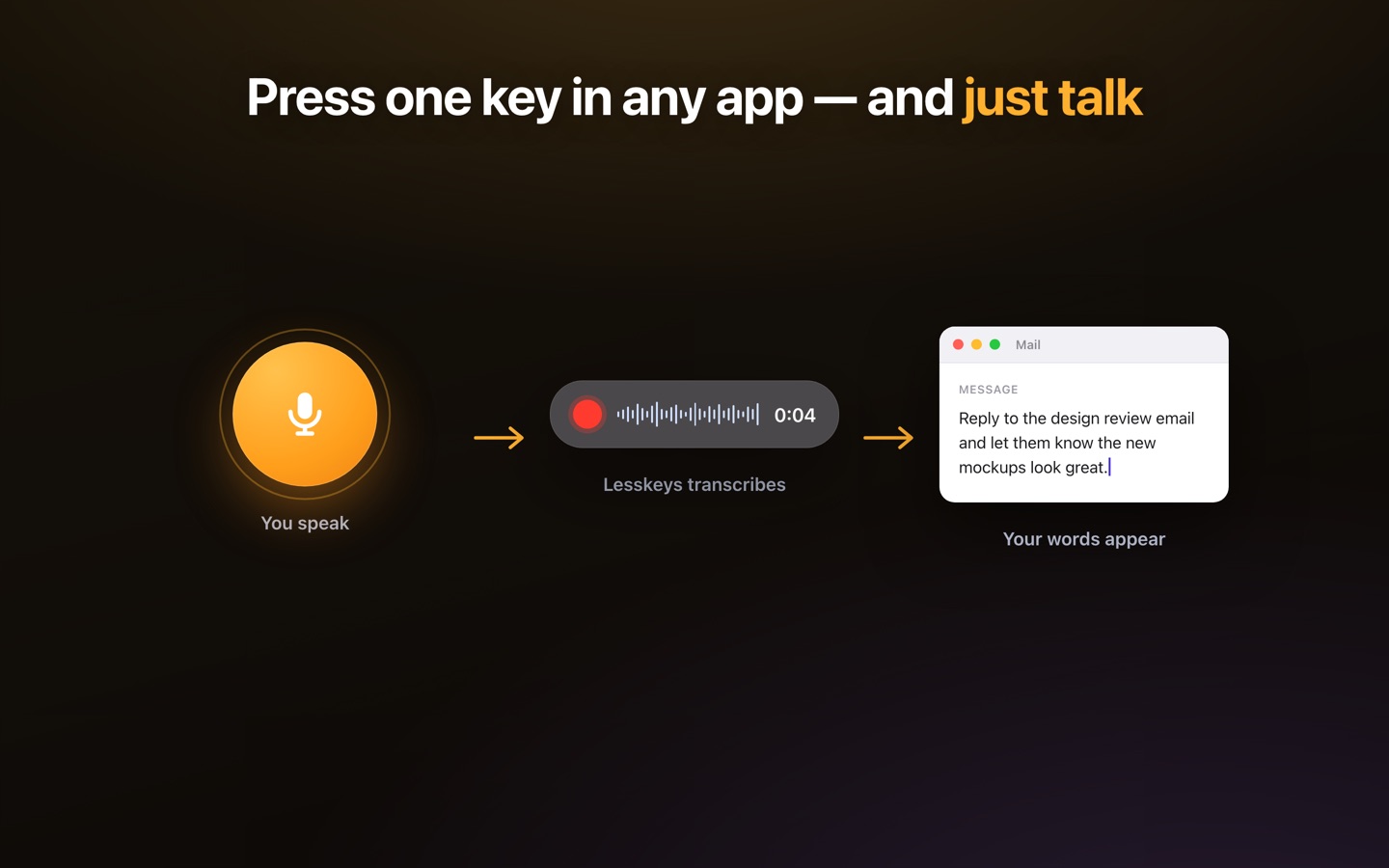
Lesskeys is a native macOS app for private voice-to-text. Press ⌥ Space, speak, and the text is on your clipboard. It also transcribes calls, meetings and video files with automatic speaker labels. Everything is processed on your Mac — no cloud, no account, no subscription. Free to download; one payment of $49.99 removes the limits.
Hundred words
Lesskeys is a native macOS app that turns speech into text without sending audio anywhere. A global hotkey dictates into any application; a recorder captures calls, meetings and screen sessions and returns a transcript with automatic speaker labels, searchable across every recording you have made. All of it runs on the Apple silicon GPU using local speech models, so it works with networking switched off and no recording ever reaches a server. It is free to download from the Mac App Store, with a metered free tier and a single $49.99 in-app purchase that unlocks it permanently — no subscription and no account. Built by one developer, Dmytro Tymoshchuk.
What it does
System-wide dictation
A global hotkey — ⌥ Space by default — transcribes speech and puts it on the clipboard to paste into any app.
Calls, meetings, screen
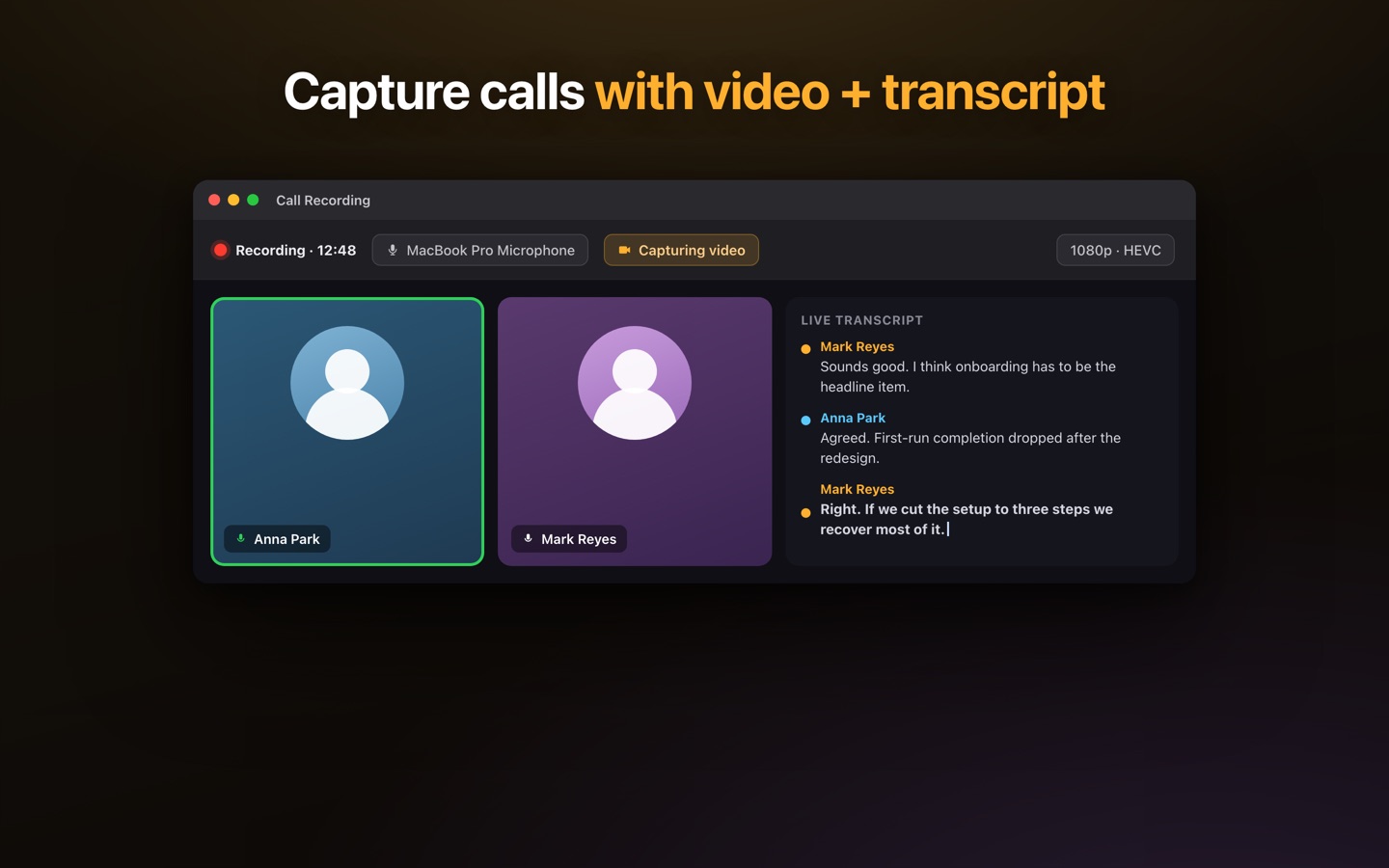
Records microphone and system audio together, optionally with screen video, and transcribes the result locally.
Speaker labels
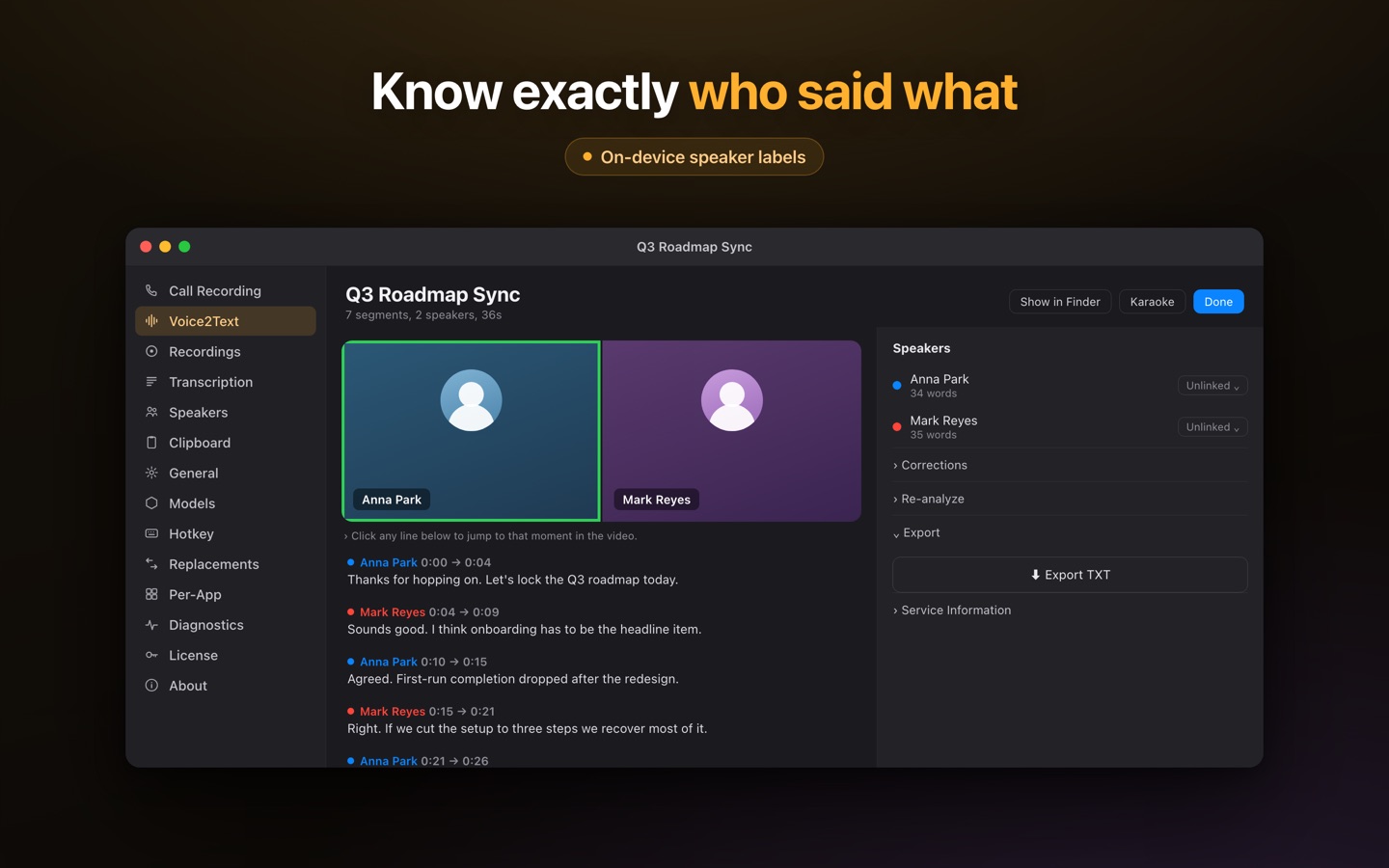
On-device diarization separates who spoke when, and remembers a voice across future recordings once you name it.
A searchable archive
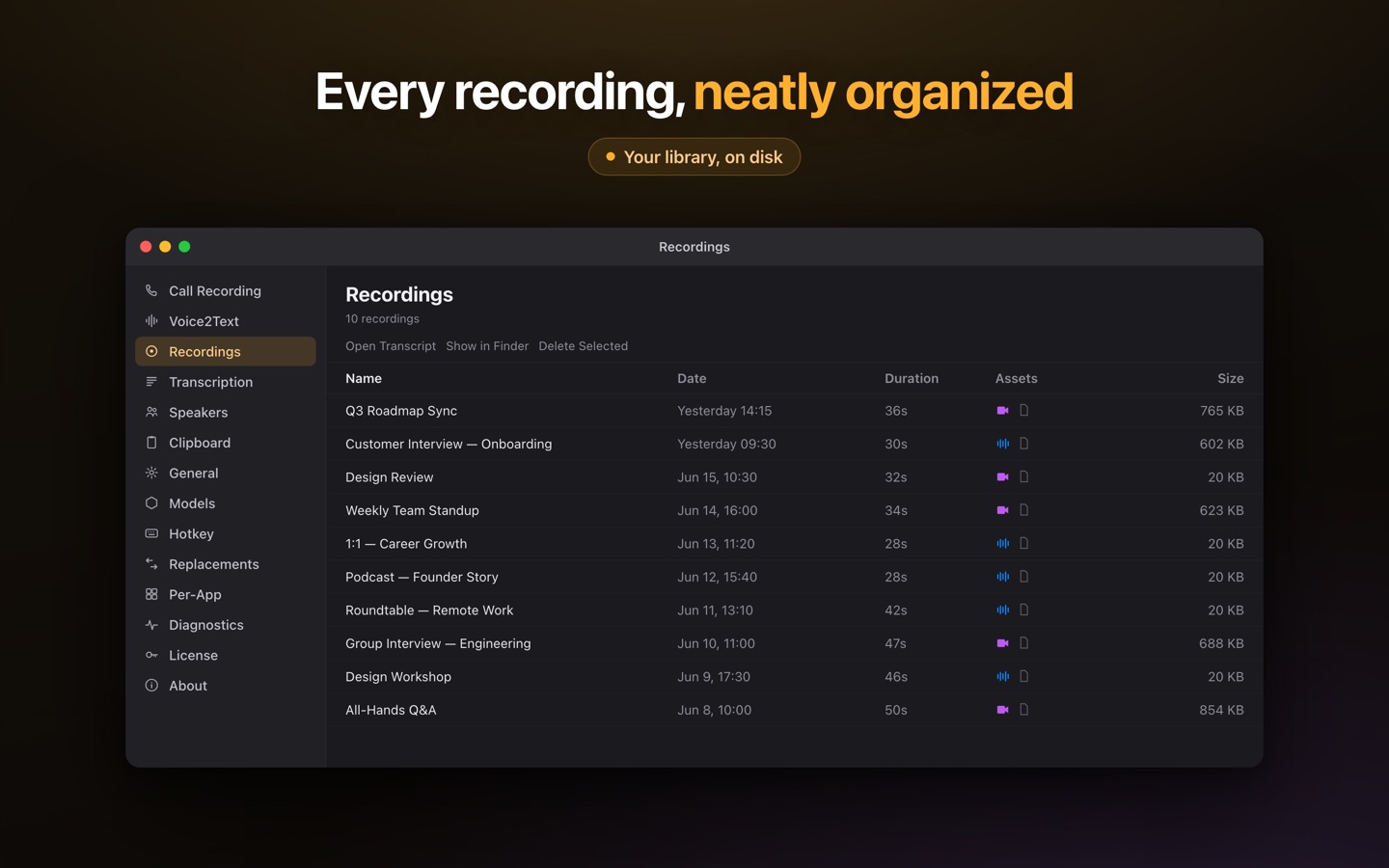
Every transcript is searchable by phrase, speaker or date, so a decision from three months ago is findable.
What it does not do
Stated plainly, because a reviewer finds all of this in the first ten minutes and it reads better coming from us.
- It does not type for you. The App Store build is sandboxed: dictated text is copied to the clipboard and you press ⌘V. There is no auto-typing and no accessibility automation in the shipping binary.
- It is Apple silicon only. Intel Macs are not supported — the transcription runs on the Metal GPU.
- The free tier is metered, not unlimited. Download and use are free, but dictation is capped at 5 minutes a day and first-time transcription at 5 audio and 5 video files in total. Recording and re-transcription are never capped. Please describe it as a metered free tier rather than "free" — the cap is real and a reader will meet it.
- It has no ratings yet. The listing is new and has zero reviews. We would rather say so than have you discover it.
- It is not an editor. No timeline, no synthetic voice, no video editing.
- It makes no compliance claim. No regulatory certification, no legal-record guarantee. The claim is narrower and checkable: the audio stays on your device.
How to verify the privacy claim in one minute
This is the claim worth testing, and it is falsifiable. Install the app, let it download a speech model once, then turn off Wi-Fi or switch on Airplane Mode. Dictation, recording, transcription and speaker labelling all behave identically, because there is no network call in the transcription path. Any network monitor will show the same thing.
The story
Lesskeys started in April 2026 as a personal tool. Dmytro Tymoshchuk wanted to stop typing everything, to keep a reliable record of his own meetings — what was discussed, what was decided — and to have that record stay on his own machine rather than in a transcription vendor's account. Nothing on the market did all three at once without a subscription and a cloud upload, so he built it. It became a product the way most useful tools do: other people asked for a copy. More than fifteen people he knows personally now use it in their daily work.
Assets
Cleared for editorial use, no attribution required. Screenshots are 1440×900 JPEG.
- Download everything as a ZIP — five screenshots, the app icon and a plain-text fact sheet.
- Screenshots: hero · dictation · speaker labels · call recording · recordings library
- App icon: 512×512 PNG
Please use the name Lesskeys — one word, capital L. Earlier development names appear in some older material and are retired.
Press contact
Email [email protected]. Ask for a specific screenshot, a demo, or an answer to anything not covered here. You do not need a review code — the app is free to download. Replies usually come the same day.
Free to download. One-time unlock. No subscription. · Pro $49.99 one-time · macOS 13+
FAQ
Is Lesskeys really fully offline?
Yes, in the part that matters: transcription. Speech models are downloaded once from the App Store distribution, and after that there is no network call in the transcription path. Switch on Airplane Mode and the app behaves identically — that is the simplest way to verify it.
Can I get a review copy?
There is nothing to send and nothing to ask for: the app is free to download from the Mac App Store, and the free tier is the review copy. It is metered rather than time-limited — 5 minutes of dictation a day, plus 5 audio and 5 video transcriptions in total — so it does not expire while a review is in progress.
Who makes it?
One person, Dmytro Tymoshchuk. There is no company behind it, no funding and no team.
What is the business model?
Free to download, with a single in-app purchase of $49.99 that unlocks everything permanently. No subscription, ever — and no account and no telemetry. The free tier is metered: 5 minutes of dictation a day, plus 5 audio and 5 video transcriptions in total. Recording is never limited, and re-transcribing something you already transcribed is always free.
Does it type text into apps automatically?
No. The App Store build is sandboxed and copies dictated text to the clipboard; you press Command-V. There is no auto-typing in the shipping binary.
Which Macs does it run on?
Apple silicon Macs — M1 or newer — running macOS 13 Ventura or later. Intel Macs are not supported because transcription runs on the Metal GPU.
How many languages does it handle?
99, detected automatically. You can also restrict it to the languages you actually speak, which improves accuracy on short recordings.
Are there user numbers or ratings you can share?
No, and we will not imply otherwise. The listing currently has zero ratings. What is true is that more than fifteen people the developer knows personally use it daily.