Wispr Flow alternative
A Wispr Flow alternative that runs 100% on your Mac
Lesskeys is native macOS voice-to-text that transcribes and formats entirely on-device — no cloud round-trip, no subscription. Pay once.
macOS 13+ · Apple Silicon · No account required
Why people look for a Wispr Flow alternative
Wispr Flow is a fast, polished AI dictation tool with a devoted following. Two things send people looking for an alternative — and both come down to where your words go.
It leans on the cloud. Wispr Flow's strength is AI formatting and commands, and that intelligence runs as a service — your speech is sent to servers to be transcribed and reshaped. If your reason for using a dictation app is that your words should never leave your machine, that round-trip is the sticking point.
It's a subscription. Wispr Flow is billed on a recurring plan. For people who would rather buy a dictation tool once and own it, a subscription is a different commitment. (Check Wispr Flow's site for current plans and any free tier — pricing changes.)
Lesskeys was built as a native Mac app that closes both gaps: every step — dictation, transcription, even speaker labeling — runs on your Mac's GPU, and it's a single one-time purchase. It also does something a dictation-only tool doesn't: transcribe recorded calls, meetings, and video with automatic speaker labels.
Lesskeys vs Wispr Flow
| Lesskeys | Wispr Flow | |
|---|---|---|
| Where it runs | 100% on your Mac's GPU. Works in airplane mode. | Cloud-assisted — speech is sent to servers for AI transcription/formatting. |
| Pricing model | One-time purchase (Mac App Store). No subscription. | Recurring subscription (verify current plans/free tier). |
| Account required | None. | Account-based. |
| System-wide dictation | Yes — global hotkey, inserts into any app. | Yes — its core feature. |
| Call / interview transcription | Yes — with automatic on-device speaker labels. | No — dictation-focused. |
| Screen / window video capture | Yes — capture and transcribe video locally. | No. |
| Languages | 99, auto-detect. | Many. |
| Platforms | macOS (Apple Silicon). | macOS, Windows. |
Where Wispr Flow may suit you better
We'd rather be private than win every row. Wispr Flow is cross-platform, so if you dictate on Windows as well as Mac, it has reach Lesskeys doesn't — Lesskeys is Mac-only. And its cloud AI shines at reformatting and voice commands; if you specifically want cloud language-model rewriting and are comfortable with that data leaving your device, that's its strength. Lesskeys makes the opposite trade on purpose: keep everything on-device, even if it means no cloud rewriting.
Pay once. No subscription. · macOS 13+
Comparison reflects publicly available information about Wispr Flow as of 2026; plans and features change, so confirm current details on the vendor's own site. Wispr Flow is a trademark of its respective owner; Lesskeys is an independent product and is not affiliated with or endorsed by Wispr Flow.
FAQ
Is Lesskeys really 100% offline?
Yes. All dictation and transcription run on your Mac's GPU. Nothing is uploaded, no account is required, and it works in airplane mode.
Is there a Wispr Flow alternative without a subscription?
Lesskeys is a one-time purchase on the Mac App Store — no subscription and no per-word cloud cost.
Does Lesskeys do system-wide dictation like Flow?
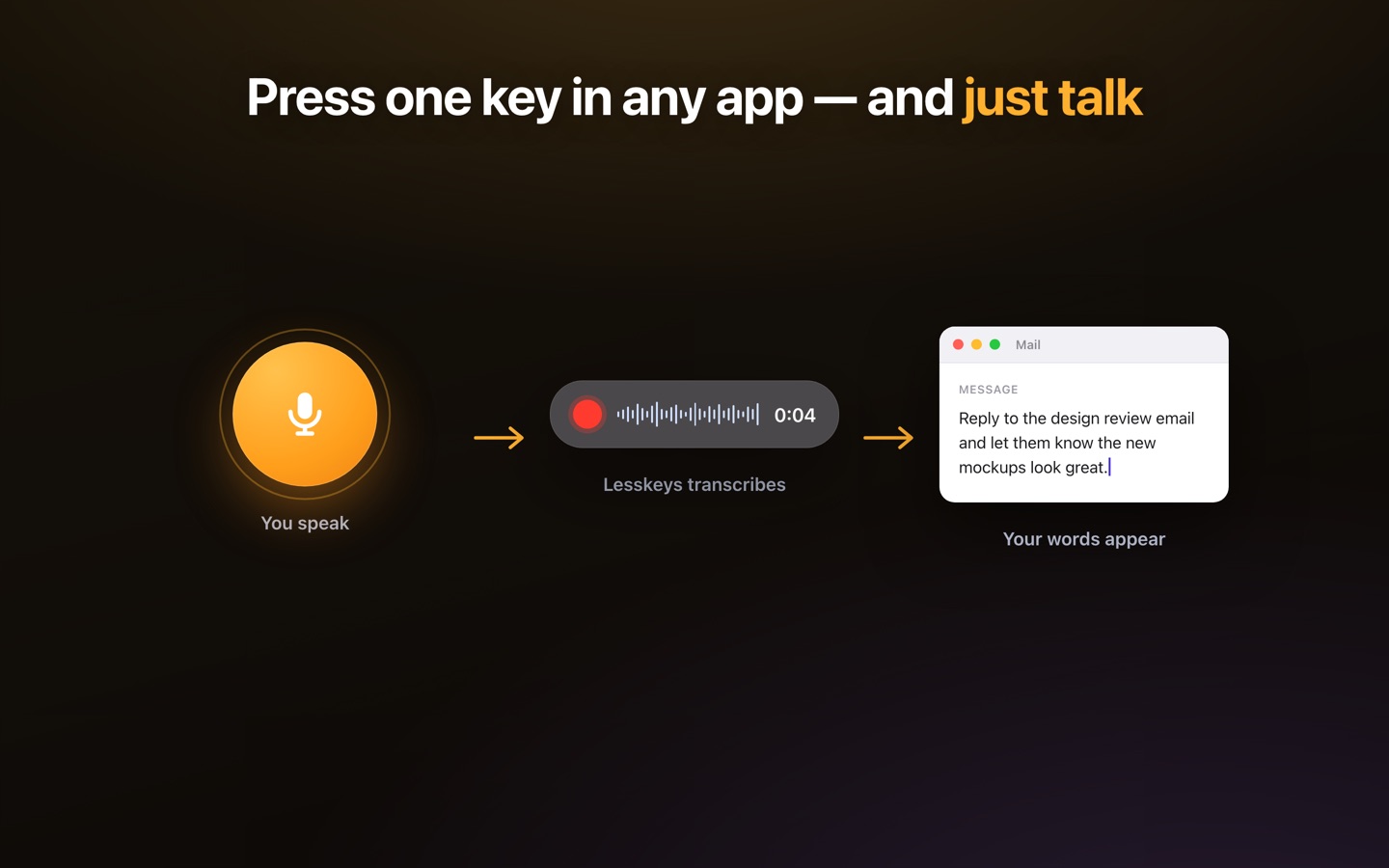
Yes. Press a global hotkey in any app and speak; your words are inserted at the cursor. It also transcribes recorded calls and video with speaker labels, which a dictation-only tool doesn't.
Does my voice leave my Mac?
No. Both the audio and the resulting text stay on your device — there is no cloud round-trip for transcription or formatting.