Home › Private meeting transcription
Private meeting transcription on your Mac
Record and transcribe your Zoom, Teams, or Meet calls locally — with automatic speaker labels — and keep every word on your machine. No note-taker bot joins the call. No audio leaves your Mac.
·
Can I transcribe a meeting privately on a Mac?
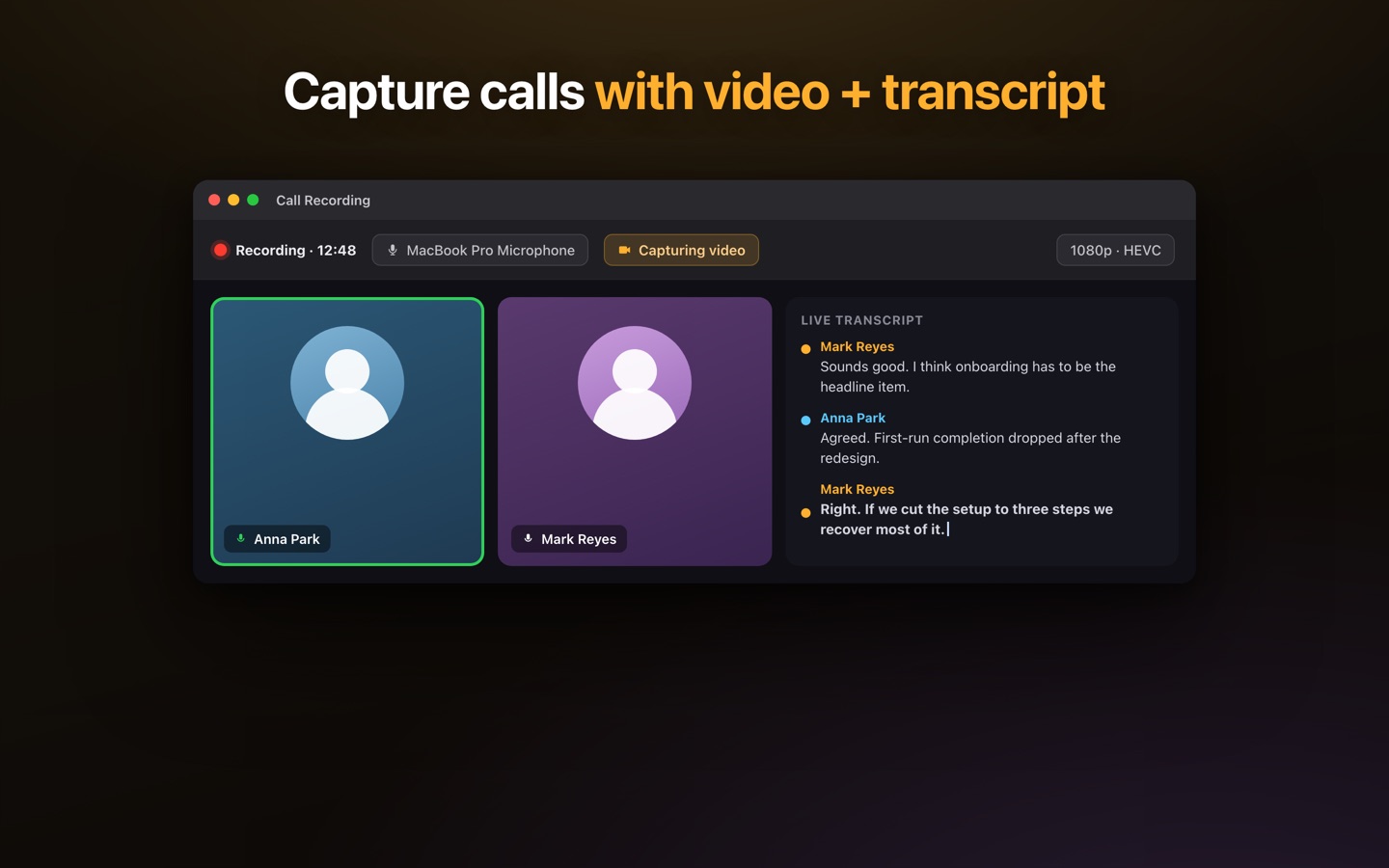
Yes. Lesskeys captures the meeting's system audio together with your microphone and transcribes the recording on-device using Apple Silicon's GPU. Because it all happens locally, there's no upload, no account, and no cloud service holding your conversations. It works offline, and there's no bot sitting in the meeting broadcasting to everyone that it's being recorded by a third party.
Works with any meeting app
Lesskeys records system audio, so it isn't tied to one platform — it captures Zoom, Microsoft Teams, Google Meet, Webex, FaceTime, or any app that plays through your Mac, plus your mic. You can also capture the screen or a window alongside the audio if you want a video record.
What you get after the call
- A full transcript with automatic speaker labels (name them if you like).
- The recording kept locally — audio, and optionally video, on your Mac.
- A transcript-synced player to jump to any moment.
- 99-language support with auto-detect.
Why "private" here means private
Cloud meeting-notetakers send your calls to their servers to transcribe and summarize. For sensitive conversations — client work, HR, legal, medical, journalism — that's a real exposure. Lesskeys keeps the recording and the transcription on your device. Privacy isn't a policy you have to trust; it's where the processing physically happens.
Pay once. No subscription. · macOS 13+
FAQ
Can I transcribe a meeting privately on a Mac?
Yes. Lesskeys records the meeting's system audio and mic locally and transcribes it on-device, so nothing is uploaded and there's no transcription bot in the call.
Does it work with Zoom, Teams, and Google Meet?
Yes. It captures system audio from any meeting app — Zoom, Teams, Meet, and others — plus your microphone, then transcribes on your Mac.
Does a bot join the meeting?
No. Lesskeys records locally, so no third-party note-taker bot joins the call and no audio is sent to a server.
Are speakers labeled?
Yes. Automatic on-device diarization labels who said what, and you can assign real names to speakers.