Home › Notta alternative
Comparison · Meeting transcription
A Notta alternative with no bot in the call
Notta is a cloud meeting-notes service: a bot joins your call, the audio is processed on its servers, and you pay for it per person, per month, in metered minutes. Lesskeys makes a different bargain — it records the call from your side of the glass, transcribes it on your own GPU, and you buy it once. No account, no meter, and nothing ever joins the meeting.
Why people look for a Notta alternative
Usually one of three reasons. The bot. Notta's flagship workflow sends Notta Bot into your Zoom, Google Meet, Teams or Webex call to record it — visible to everyone in the meeting, and increasingly turned away at the door by company policy. The cloud. It is a cloud service: audio is processed on Notta's servers (well-run ones, with serious certifications — but servers), which is a non-starter for confidential calls. And the meter. It is a per-person subscription where the free tier caps both your monthly minutes and the length of a single recording, and paid tiers still count transcription minutes per month.
To its credit, Notta heard the first two complaints: in July 2026 it announced a beta Privacy Mode for its desktop app — a bot-free workflow that records and transcribes locally and keeps the output on your machine. If you are already invested in Notta, that mode is worth a look. The difference with Lesskeys is simpler than any feature: local is not a mode here, it is the only architecture there is. There is no account, no plan, no meter, and no cloud path to opt out of.
How Lesskeys is different
| Lesskeys | Notta | |
|---|---|---|
| Where audio is processed | Your Mac, always | Their cloud (local mode in beta on desktop) |
| Bot joins the meeting | Never — records mic + system audio | Yes, in the main workflow |
| Account required | No | Yes |
| Pricing model | One-time purchase | Subscription per person |
| Monthly minute allowance | None — runs on your hardware | Metered per plan |
| Automatic speaker labels | Yes, on-device | Yes |
| System-wide dictation into any app | Yes | No |
| AI summaries & action items | No | Yes |
| Web, mobile & team workspace | No — single-user Mac app | Yes |
| Platforms | Mac only (macOS 13+, Apple Silicon) | Web, Windows, Mac, iOS, Android |
What Lesskeys does not do
Worth being blunt about, because part of Notta's value is in features Lesskeys deliberately has no equivalent for:
- No AI summaries, action items or meeting reports. You get a verbatim, speaker-attributed transcript and decide what to do with it.
- No bot that attends meetings for you. Lesskeys records the call from your side — your mic plus the system audio. If you are not in the meeting, nothing is recorded.
- No web dashboard, no mobile apps, no cross-device sync. The recordings live on the Mac that made them. That is the point.
- No team workspace — no shared folders, no comments, no member seats. Single-user by design, because the files never leave the Mac.
- No calendar integration that auto-joins scheduled meetings. You press record.
If those are load-bearing in your workflow — a team knowledge base, notes on meetings you skip — keep Notta. This page is not trying to talk you out of it.
Where the two overlap: an accurate record of the conversation
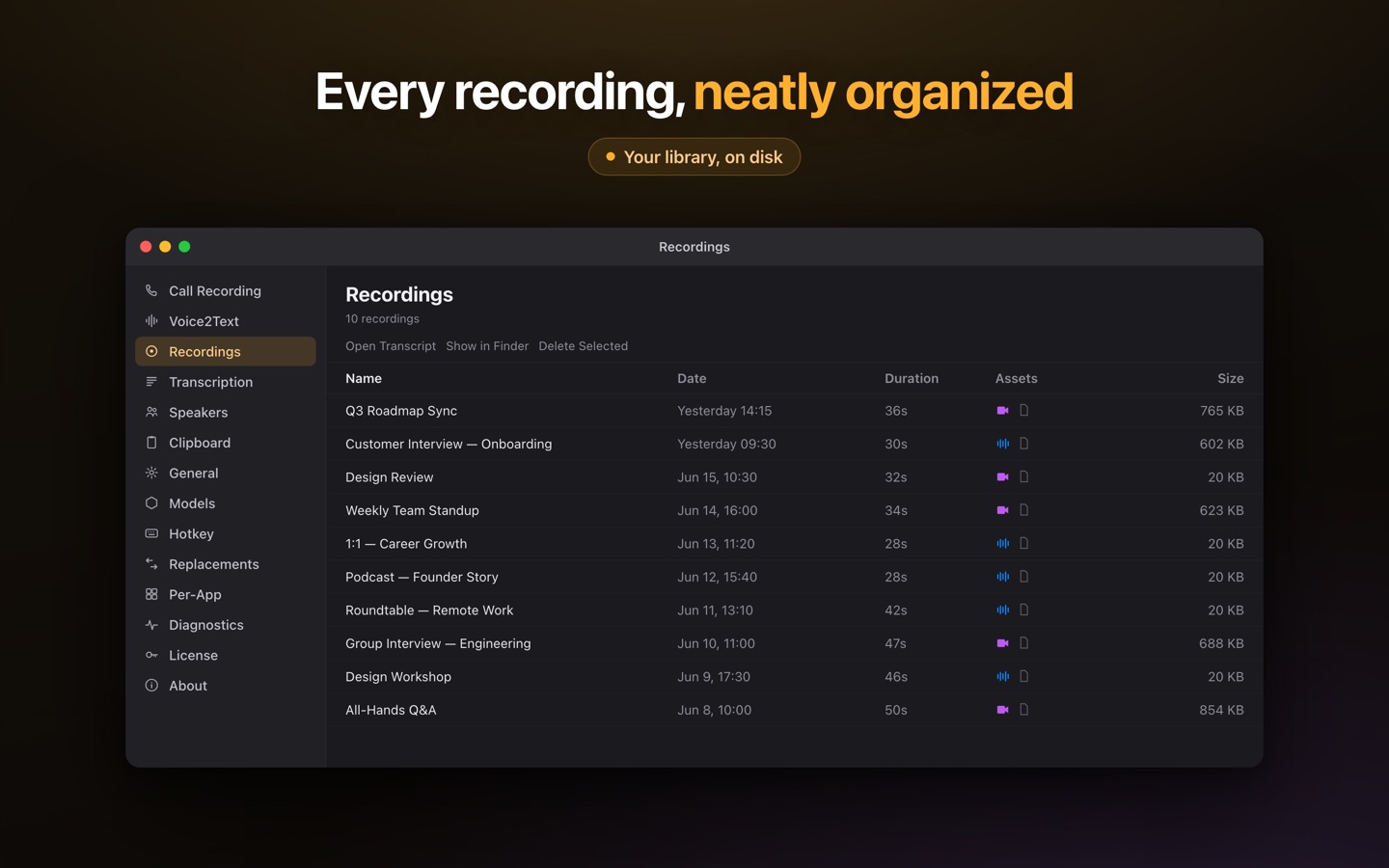
This is the part Lesskeys is built for, and it does it without an upload or a meter. Hit record and it captures your mic and the system audio of any call — Zoom, Meet, Teams, a phone call routed through the Mac, anything the Mac can play — with no bot appearing in the participant list. The speech model runs on Apple Silicon's GPU, and speaker diarization runs locally too, so the transcript comes back labeled by who spoke; name a recurring voice once and the label sticks in future recordings. Every recording drops into a library you can search by phrase, speaker or date, and clicking a line jumps the player to that exact moment.
It also transcribes files you already have — drop in an MP4, MOV, WAV or M4A and it is processed on the same local pipeline. And because it is a menu-bar app, the same install gives you system-wide dictation: press ⌥Space anywhere, speak, and the transcribed text lands on your clipboard ready to paste with ⌘V. 99 languages, auto-detected, all offline.
A workflow with no bot and no meter
- Press record — Lesskeys captures your mic + the system audio of the call. Nothing joins the meeting.
- Transcribe locally — the model runs on your Mac's GPU; nothing is uploaded and no minutes are counted.
- Name the speakers once — voiceprints persist, so the same people are labeled automatically next time.
- Search it later — every call is findable by phrase, speaker or date, on your Mac.
Where Notta is the better tool
Notta is a full meeting-notes service, and for teams that live in it, the service is the product: transcripts arrive with AI summaries and action items, meetings can be recorded even when you do not attend, everything syncs to a web workspace your colleagues can search, and it runs on Windows, iOS and Android as well as the Mac. Its cloud is professionally certified, and its new desktop Privacy Mode shows the company takes the criticism seriously. If you need meeting notes as a shared team resource, that is a genuinely capable product and Lesskeys replaces none of it.
The trade being offered here is narrow and specific: give up the summaries, the bot and the workspace, and in exchange the recording never leaves your Mac, there is no per-person monthly bill and no minute cap, no account to create — and you get system-wide dictation everywhere in macOS from the same single $49.99 unlock. For confidential calls, interviews and personal meeting archives — and for anyone whose workplace has already banned notetaker bots — that is the better trade. For a team knowledge base, it is not.
Notta is a trademark of its respective owner. Lesskeys is an independent product and is not affiliated with, endorsed by, or sponsored by them. Feature sets, plans and pricing change — verify current details on each vendor's site before deciding. Notta details above reflect its public website and announcements as of 27 July 2026.
Free to download. Pay once to unlock. No subscription. · Pro $49.99 one-time · macOS 13+
FAQ
Is there a Notta alternative that doesn't send a bot into the meeting?
Yes. Lesskeys records your microphone and the Mac's system audio directly, so nothing joins the call and no participant sees a recorder in the meeting. It works with any call the Mac can play — Zoom, Google Meet, Teams, Webex or a browser tab.
Does Lesskeys have monthly transcription minute limits?
No. Transcription runs on your own Mac's GPU, so there is no per-minute cost to pass on. Notta's plans are subscriptions with monthly minute allowances; Lesskeys is free to download and unlocks permanently with one $49.99 in-app purchase — no subscription, and no recurring minute cap.
Notta has a Privacy Mode now — how is Lesskeys different?
Notta's Privacy Mode is a beta option inside a cloud service that still runs on an account and a subscription. In Lesskeys, local processing is not a mode: there is no cloud path at all, no account, and no meter. The recording and transcript exist only on your Mac.
Can it transcribe audio or video files I already have?
Yes. Drop in common formats such as MP4, MOV, WAV or M4A and the audio is extracted and transcribed locally, with speaker labels and a transcript-synced player.
Does Lesskeys summarize meetings or extract action items?
No. It produces a verbatim, speaker-attributed transcript that you can search by phrase, speaker or date. Summarizing is left to you — nothing is generated in a cloud, because nothing goes to a cloud.