Home › Guides › Voice to text for Mac
Guide · Voice to text on macOS
Voice to text on a Mac, without the cloud
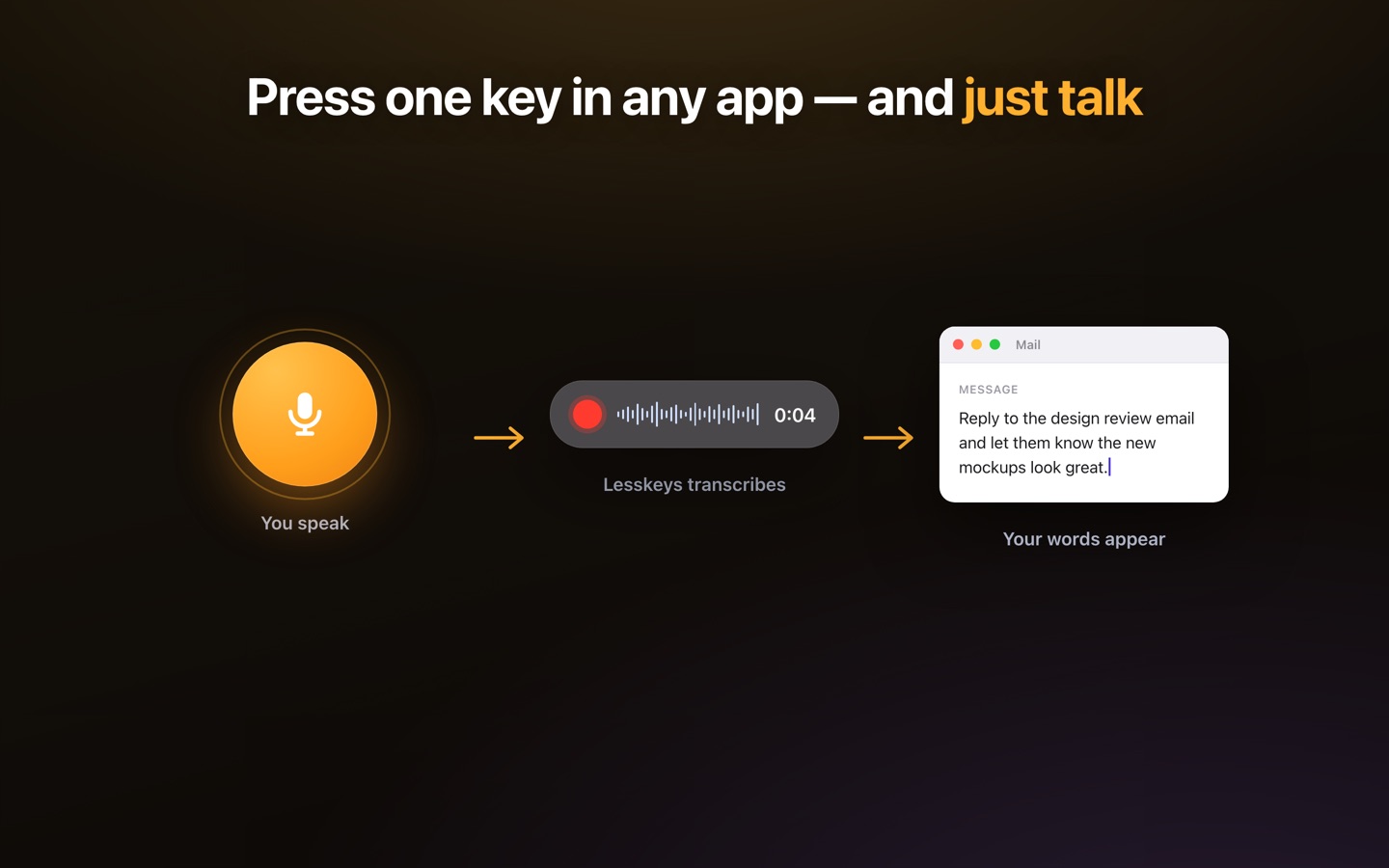
Two things get called voice to text: dictating into whatever app you are already using, and turning a recording into a transcript. Lesskeys does both entirely on your Mac — press ⌥. and speak, or drop in a file and get a speaker-labeled transcript. Nothing is uploaded, nothing needs an account, and it works with the Wi-Fi off.
What "voice to text" means on a Mac
Two different jobs share the phrase, and most apps only do one of them.
- Dictation — you speak, and the words appear where you were typing. This is live, it is short, and it has to work in whatever app already has your cursor.
- Transcription — you already have a recording, and you want the text of it, ideally with a note of who said which part.
Lesskeys does both, and does them without sending the audio anywhere. That second half is the part worth checking on any tool you are comparing: a great many apps that describe themselves as running "on your Mac" still upload the audio for the part that actually recognises speech.
How dictation works here
- Press ⌥. (Option and the period key) anywhere in macOS.
- Speak.
- Press it again. The text is transcribed on your Mac and copied to your clipboard, ready to paste with ⌘V into whatever app you were in.
There is no window to switch to and no document to export. The hotkey is configurable in Settings if the period key is already spoken for.
How does file and call transcription work?
Drop in an audio or video file — or record a call straight from your own Mac — and Lesskeys produces a transcript with automatic speaker labels, so you can read who said what instead of a wall of undifferentiated text. Recording a meeting does not put a bot in the participant list: the audio is captured on your machine, so nobody else in the call sees a notetaker join.
Why is on-device the whole point?
Speech is unusually revealing data. A dictated paragraph can be a medical note, an unpublished manuscript, a client's numbers or a source's name. Once it is uploaded, the questions change from "is this tool good" to "who can subpoena this, how long is it retained, and what is it training".
Running the model on the machine removes the question rather than answering it. Lesskeys uses Whisper via whisper.cpp on Apple Silicon's GPU, so transcription happens locally — with the Wi-Fi off, on a plane, on a locked-down work laptop. There is no account to create and nothing to transcribe with is fetched at the moment you speak.
What does it cost?
Free to download from the Mac App Store. The Pro unlock is a one-time $49.99 in-app purchase — not a subscription, and not a per-seat licence. If you stop paying attention to it, it keeps working, because there is nothing to lapse.
What does it not do?
Worth knowing before you download, because these are structural rather than temporary:
- No web app and no collaborative editor — it is a Mac app, and the transcript lives on your Mac.
- No team seats, no shared workspace, no comment threads.
- No iPhone or iPad version.
- Apple Silicon is required (M1 or later) on macOS 13 Ventura or newer. Intel Macs are not supported.
Free to download. One-time unlock. No subscription. · Pro $49.99 one-time · macOS 13+
FAQ
What is the keyboard shortcut for voice to text on a Mac?
In Lesskeys the default global hotkey is Option and the period key (⌥.). Press it anywhere in macOS to start recording and press it again to stop; the transcribed text is copied to your clipboard. The shortcut can be changed in Settings. macOS also has its own built-in dictation shortcut, which is separate and configured in System Settings.
Does voice to text work without an internet connection?
In Lesskeys, yes. The speech model runs on your Mac's GPU, so dictation and transcription both work offline — in airplane mode, on a restricted network, or with the Wi-Fi switched off. Many other voice-to-text tools require a connection because the recognition happens on their servers.
Is my voice uploaded anywhere?
No. Audio is processed entirely on your Mac and is not sent to a server. There is no account to create and no transcription quota being counted somewhere else.
How many languages does it handle?
99, and it detects which one you are speaking automatically. You can also constrain it to a specific language if you regularly work in one and want to remove any ambiguity.
Can it tell speakers apart in a recording?
Yes. Call, meeting and interview transcripts get automatic speaker labels, produced on-device, so a two-person interview reads as a dialogue rather than one continuous block.
What does it cost?
Lesskeys is free to download from the Mac App Store. Unlocking Pro is a one-time in-app purchase of $49.99 — there is no subscription and no per-seat pricing.
What are the system requirements?
macOS 13 Ventura or later on an Apple Silicon Mac (M1 or newer). Intel Macs are not supported, because the app relies on the Apple Silicon GPU to run the model fast enough to be usable for live dictation.